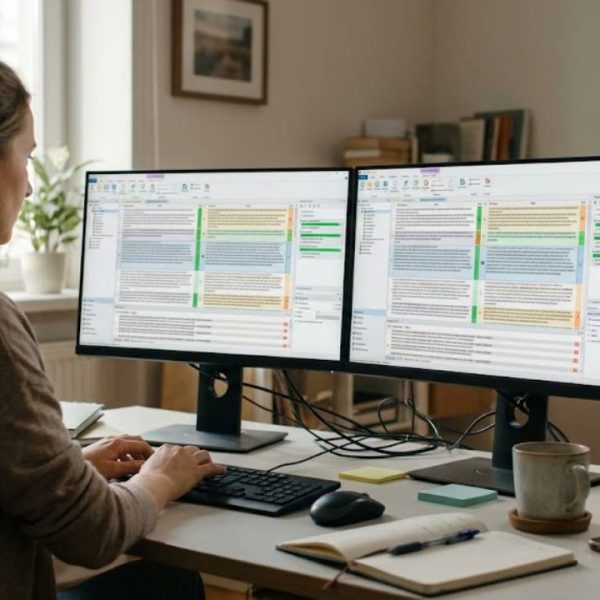
The term CAT tool comes up constantly in conversations about modern language work, yet it is often misunderstood. Some people think it is a robot that translates by itself. Others believe it is only for large agencies. In reality it is a practical piece of software that helps people work faster and more consistently, and many freelancers and in-house teams use one every day. This guide explains the idea in plain language and shows how the parts fit together.
The meaning behind the name
CAT stands for computer-assisted translation. The important word is assisted. The software does not replace the person; it supports them with a structured editor, stored knowledge from earlier work and automatic checks. If you are wondering what is a CAT tool in everyday terms, think of it as a workshop with well-organised shelves. Everything the translator needs, from earlier sentences to approved terms, is within reach.
The editor and its segments
When a file is opened, the software divides it into segments, usually sentences. The original text appears on one side and the translation on the other. Formatting, tags and layout are handled by the system, so the translator works on clean text without worrying about breaking the file. This is a major relief when the original is a manual, a presentation or a web page full of styling and links.
Translation memory
Every approved segment is saved in a memory. When a similar sentence appears later, the software offers the earlier translation and shows how close the match is. A perfect match can be accepted in a moment, while a partial match gives a starting point. Over time the memory becomes a valuable asset, because repeated content, which is common in business and technical documents, no longer needs to be handled from scratch.
Glossaries and terminology
A glossary records the approved translation for important terms. While translating, the person sees those terms highlighted and can insert them with one click. Quality checks can warn when a different word is used. Together, the memory and the glossary are what give a modern CAT tool its power, because they allow a team of people to write as if they were one.
Quality checks and review
Automatic checks run in the background and flag the small mistakes that people miss when they are tired. Missing numbers, double spaces, broken tags and inconsistent terms are all caught early. The reviewer can then concentrate on meaning and style, not on mechanical errors. Many systems also keep a record of changes, so translators can learn from the corrections.
Files and formats
One reason CAT tools are so widely used is that they handle many file types. Office documents, web content, software strings and subtitles can all be opened in the same editor. Projects are also exchanged between systems using bilingual formats. An overview of the SDLXLIFF files used by some popular tools shows how these formats differ and why they sometimes cause trouble when you switch software.
Open standards behind the scenes
Interoperability matters because few teams use only one tool. Clients send projects from one system, freelancers work in another and reviewers use a third. Standards such as XLIFF make it possible for these systems to talk to each other, and the technical committee that maintains it publishes its work at OASIS. You do not need to read the specifications, but it helps to choose a tool that supports them well.
Who benefits most
Freelancers use the software to deliver faster and to keep a personal memory of their specialist fields. Companies use it to keep product names and instructions consistent across languages. Agencies use it to manage many projects and many translators at once. Even occasional users benefit, because the checks and the glossary prevent mistakes that would otherwise go unnoticed until a customer points them out.
Common misunderstandings
Three myths appear again and again. The first is that a CAT tool translates automatically; it does not, although it can display machine suggestions if you ask it to. The second is that it makes text sound robotic; in fact it leaves every sentence in the translator's hands. The third is that it is too complicated; most editors can be learned in an afternoon, and the benefits grow with every project. Clearing up these myths early helps teams adopt the software with confidence instead of suspicion.
Choosing a tool
Pick a tool by trying it on real work. Check how comfortable the editor feels, how well it handles your file types and whether you can export your memory and glossary. Cloud tools make collaboration easy, while desktop tools can be better for solo work with confidential files. Whatever you choose, make sure your data stays yours and can move with you.
Final thoughts
A CAT tool is not magic, and it is not a threat to skilled people. It is a practical way to reuse what is already known, to keep language consistent and to catch small errors before they reach the reader. Once you have worked with one for a few weeks, going back to plain documents tends to feel slow and risky.